
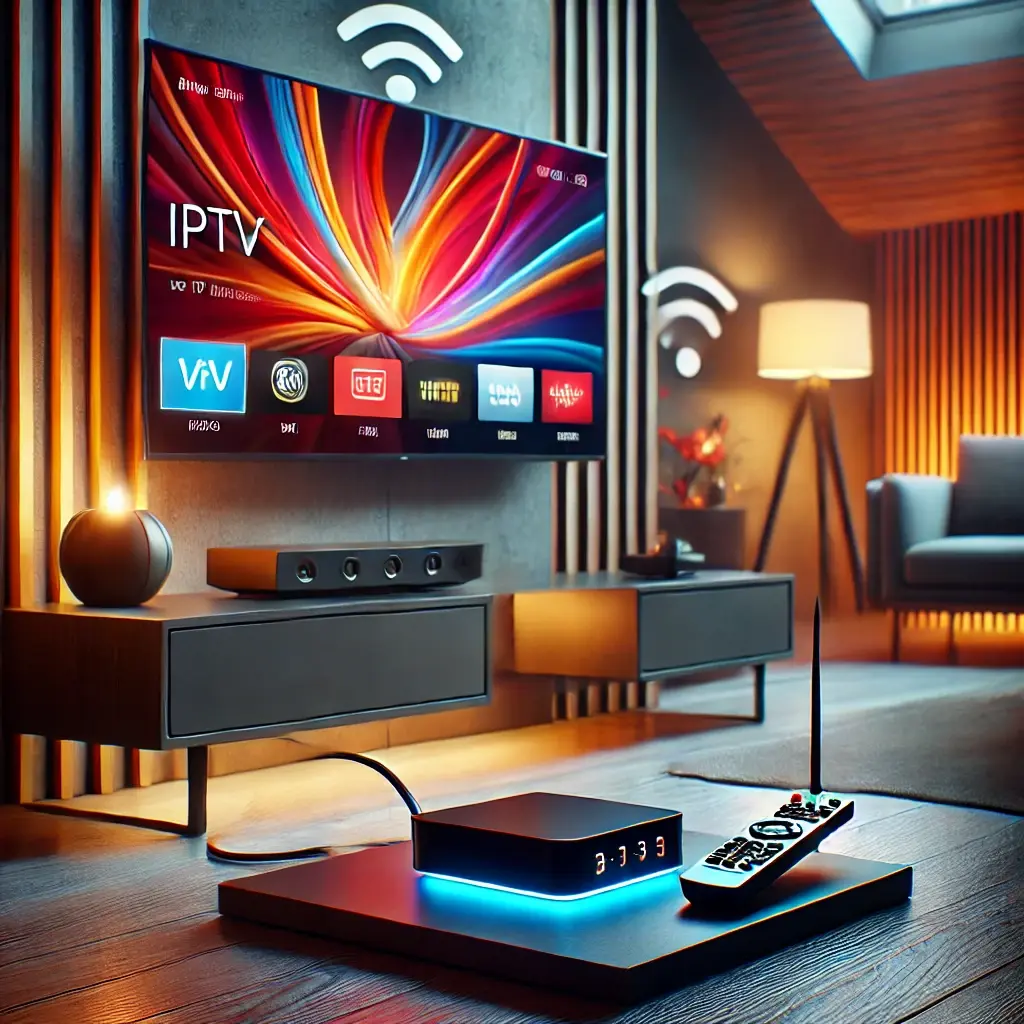
IPTV for MAG Box: The Ultimate Setup Guide
In today’s digital age, IPTV has revolutionized how we consume entertainment. For MAG box users, it offers an efficient way to access thousands of channels, movies, and shows seamlessly. Let's get started.
Why Choose Rove IPTV for Your MAG Box?
When it comes to IPTV providers, Rove IPTV Canada stands out as the premier choice for MAG subscriptions. Offering a vast selection of HD and 4K channels, seamless streaming, and unmatched reliability, Rove IPTV ensures an unparalleled viewing experience. Their dedicated customer support, user-friendly interface, and competitive pricing make them the ideal partner for enhancing your MAG box experience.
Rove IPTV offers locally hosted premium servers, eliminating the buffering and freezing issues often associated with generic IPTV services. Customers can contact support for setup and troubleshooting, and streaming quality can vary with network and device conditions. Whether you’re a sports enthusiast or a movie lover, Rove IPTV caters to all your entertainment needs with perfection.
What is IPTV and Why Use It with a MAG Box?
IPTV allows users to stream television content over the internet instead of traditional cable or satellite. A MAG box, known for its reliability and performance, is a popular choice for IPTV enthusiasts. The synergy between IPTV and a MAG box ensures uninterrupted streaming, high-quality playback, and access to diverse content libraries.
Popular MAG Box Models
- MAG 254: A classic option with solid performance for standard and HD streaming.
- MAG 322: A workhorse ideal for HD streaming with more advanced functionality.
- MAG 524: The modern choice that supports 4K resolution for an immersive viewing experience.
How to Get Started
Getting your IPTV service running on a MAG box is a simple, three-step process.
1. Choose Subscription
Select a plan that fits your needs from our subscription page.
2. Follow the Guide
Use our easy-to-follow installation guide to set up your device.
3. Start Watching
Once configured, reboot your box and start enjoying thousands of channels.
How to Set Up Your MAG Box Step-by-Step
Follow these detailed steps to connect your Rove IPTV subscription to your MAG device.
Step 1: Access the Inner Portal
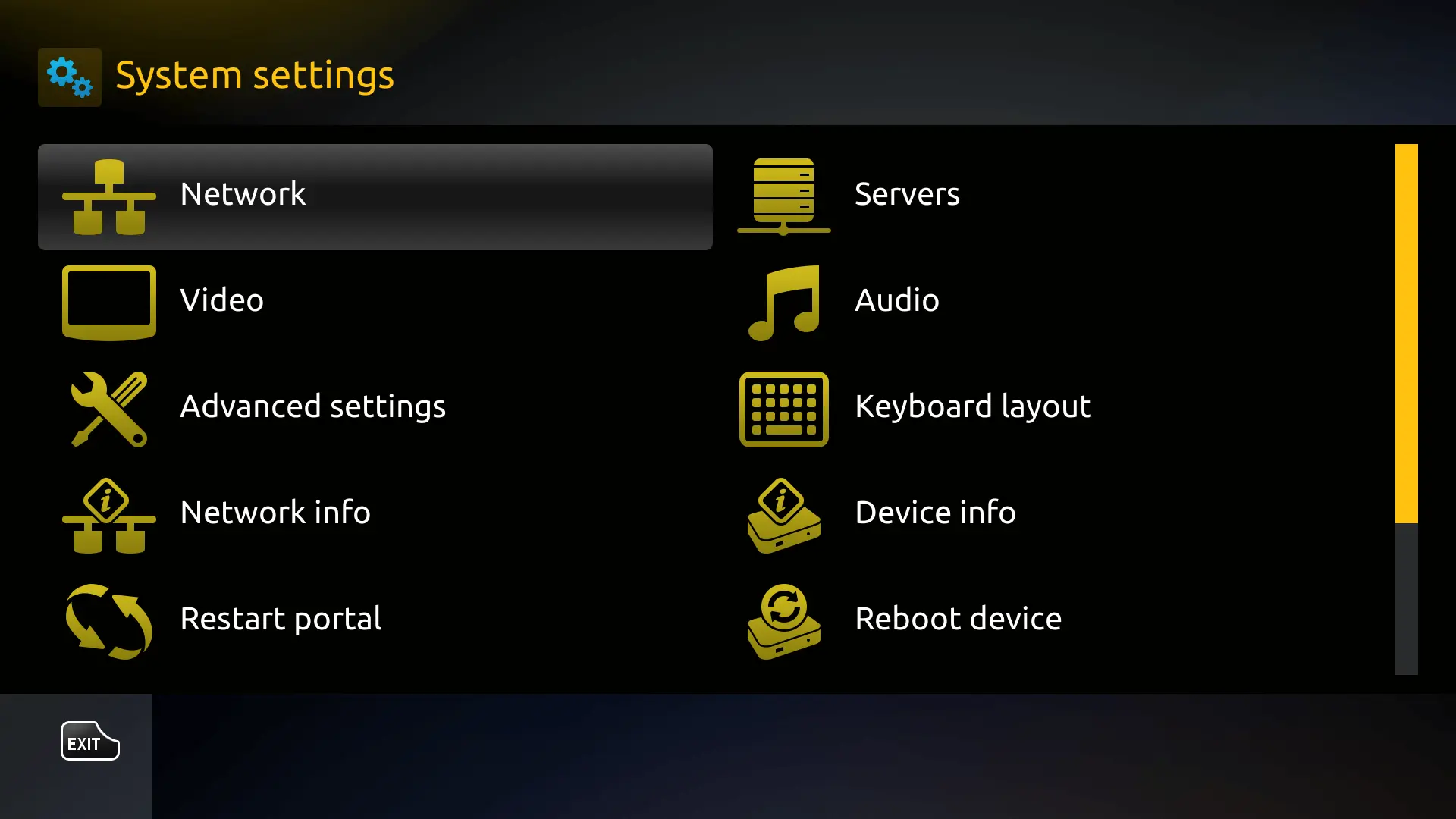
Power on your MAG box. Once it loads, find and select the "Settings" icon, usually represented by a gear symbol. From there, enter the "System Settings".
Step 2: Navigate to Servers then to Portals
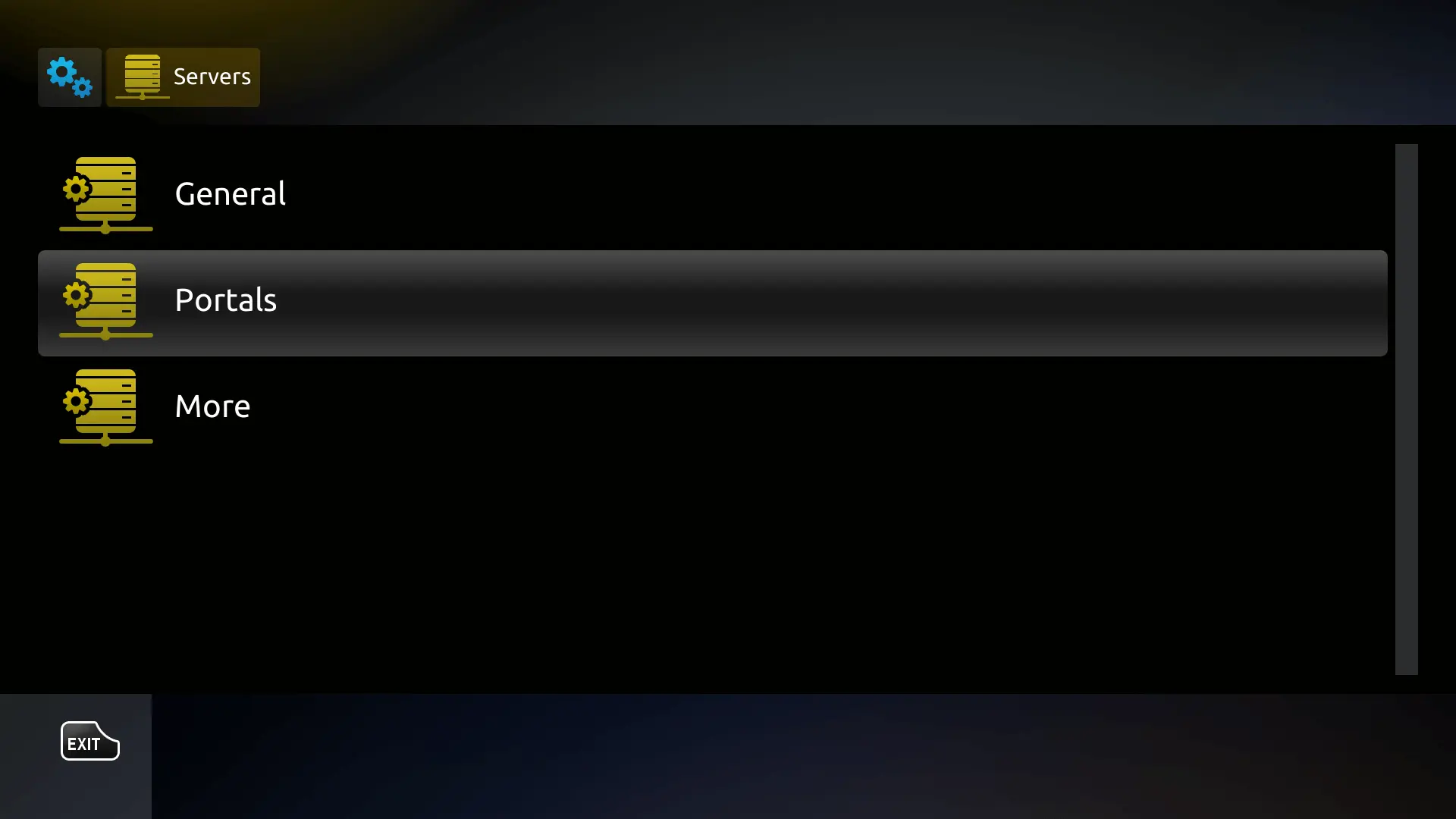
Inside the System Settings, find the "Servers" option. Click on it, and then select "Portals". This is where you will configure the connection to our service.
Step 3: Enter the Portal URL
You will see fields for "Portal 1 Name" and "Portal 1 URL". In the "Portal 1 URL" field, carefully type the portal address that was provided to you in your subscription email from Rove IPTV. It is crucial to enter this URL exactly as provided, without any typos.
Step 4: Save and Reboot
After entering the URL, press the "OK" button on your remote to save the settings. Then, navigate back to the main settings menu and find the "Reboot Device" option. Your MAG box will restart.
Step 5: Start Watching
After rebooting, the MAG box will automatically connect to the portal. The Rove IPTV interface will load, giving you access to all live channels, movies, and TV series. Your setup is now complete!
Common Issues and Troubleshooting Tips
- Portal URL Errors: If you get an error, the most common issue is a typo. Double-check that the URL is entered exactly as provided by your IPTV service.
- Buffering Problems: If you experience buffering, try using a VPN to bypass potential ISP throttling. Also, confirm your internet speed is sufficient and use a wired connection if possible.
- Loading Issues: If channels won't load, ensure your subscription is active. A simple reboot of both your MAG box and your internet router can often solve the problem.
Frequently Asked Questions (FAQs)
Conclusion
IPTV for MAG boxes opens up a world of entertainment possibilities. With the right subscription and proper setup, you can enjoy high-quality streaming effortlessly. Follow this guide to get started and transform your viewing experience today. Don’t wait—explore the best IPTV options for your MAG box now!
Ready to Elevate Your MAG Box Experience?
Choose a plan from Rove IPTV and unlock thousands of channels, movies, and shows with unparalleled stability.
Read More
IPTV for Formuler Box: Ultimate 2026 Setup & Streaming Guide
IPTV for Formuler Box: Ultimate 2026 Setup & Streaming Guide IPTV for Formuler Box: The Ultimate 2026 Guide Your complete step-by-step guide to setting up,
How to Overcome IPTV ISP Throttling: A Comprehensive Guide
Struggling with IPTV ISP throttling? Learn what it is, how to detect it, and multiple ways to stop it, including the smart DNS solution used
IPTV for MAG Box | How to Get a Subscription and How to Install
Learn how to get the best IPTV subscription for your MAG box and follow our step-by-step installation guide. Enhance your streaming experience now!
Ready to switch to Rove IPTV?
Compare plans and get started in minutes.