
1
Install Downloader
Open Google Play, search for Downloader by AFTVnews, and install it. If your device asks, allow Downloader to install unknown apps.
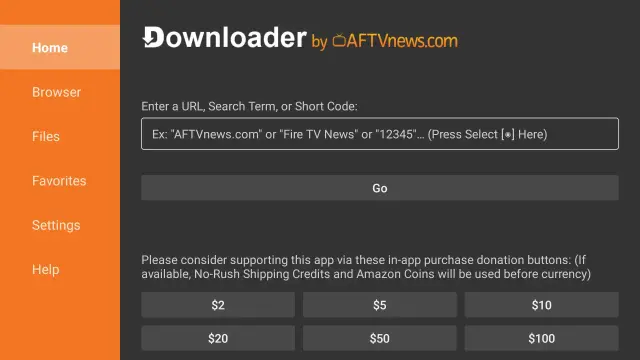
Install Downloader, permit app installation from that source if required, install IboPlayer, and send us your device identifiers.
Open Google Play, search for Downloader by AFTVnews, and install it. If your device asks, allow Downloader to install unknown apps.
Open Downloader, enter 1171959, choose Go, and install the downloaded application.
Launch IboPlayer and record the Device ID and Device Key exactly as displayed.
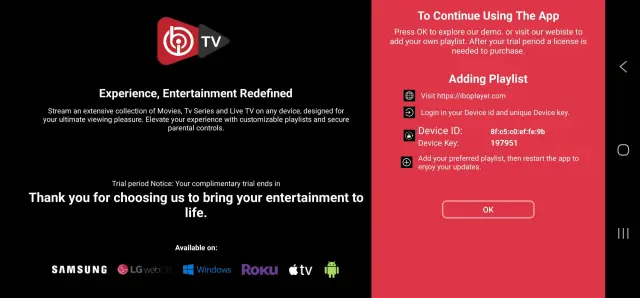
WhatsApp or email us your Device ID and Device Key, and we will upload the playlist for you.
Email: contact@roveiptv.net
WhatsApp: +1 939-888-3267